The Google Cultural Institute documents the world’s art and other cultural treasures. At the California Academy of Sciences in San Francisco, Google workers 3D scanned these skulls, which you can view at any angle.
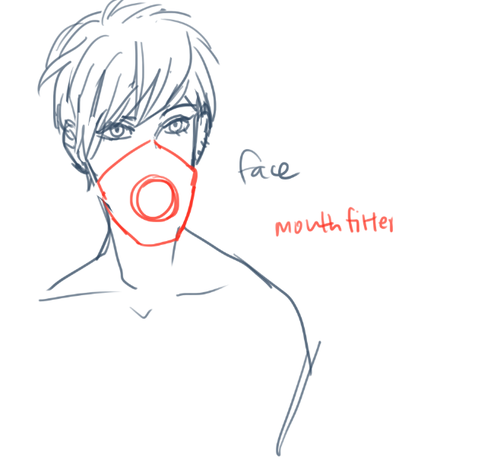
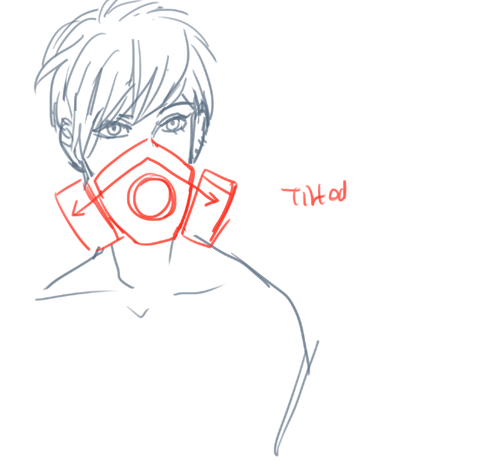
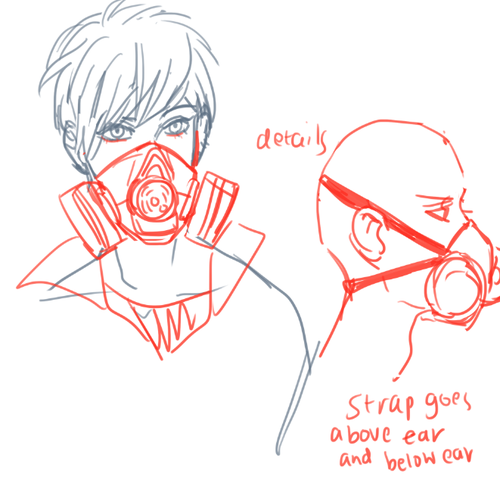
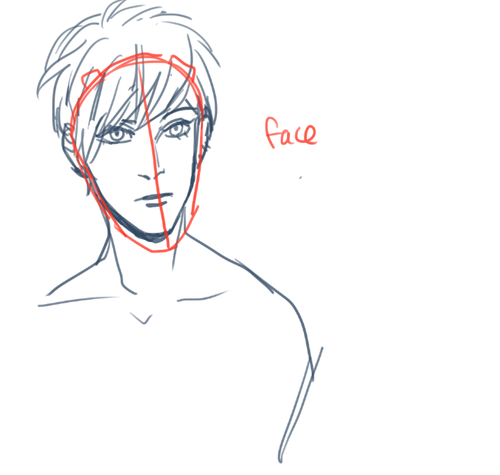
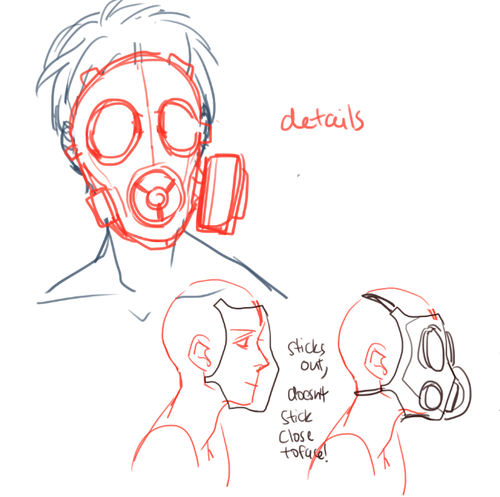
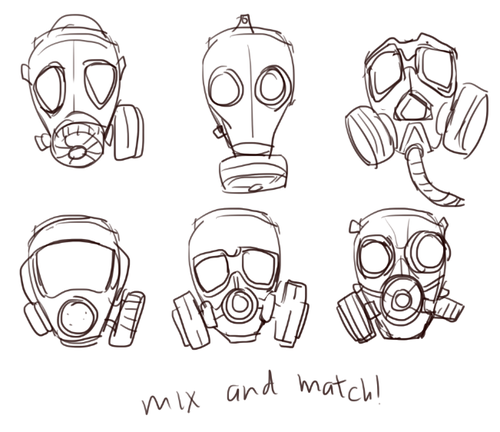
YEAH JUST REMEBER NOT TO DRAW IT TOO CLOSE TO THE FACE bc there’s actually a space between the mask and face IT’s not tightly fitted HOPE THAT HLEPS SORRY IT”S A SO SCRIBBLY I need to sleep
Well a certain hairstyle doesn’t belong exclusively to guys because hair is hair.
But I guess you’re talking about the typical general western view of what hairstyles are more associated with guys.
My first advice is obviously to just google image for hairstyles on men and look for what most of the hairstyles have in common.
The typical “guy hairstyle” usually have the sides trimmed shorted to show the ears, and the longer hair on top are usually styled upwards to show the hairline p clearly.
Here’s a quick rushed step-by-step in how I’d draw this kind of hairstyle:
Really short hair and afro hair are easiest for me to draw if I focus on the overall shape/silhouette rather than looking for parted sections.
Here’s some more quick sketches that shows a bit longer hairstyles and how they’re styled to follow a certain direction.
Now this is all based on what I know about the typical “western straight hair guy hairstyle” but like this stuff varies a lot depending on where in the world you’re looking at. Hairstyles change a lot after trends and fashion after all.
ALRIGHT, so, I know a lot of people have trouble making eyes match. Yesterday I found out a way to make it significantly easier! Here’s a small guide.
Well, first of all, you have your face. mark where the eyes should be on it.
Then mark the corners of the eyes and go over the middle again, to make the next step easier
Alright, I know it sounds a bit crazy, but draw this shape, trying to make it as symmetrical as you can.
Draw the eyes using that shape as a guide and TA-DA! They match! For different eye shapes you tweak the angle of the two guide lines.
And it also helps with angles where the size and shape of the eye is distorted, you just put it in perspective.
I think the theory behind it is that the thing that makes it hard to make the eyes match is the angle of the corners, and this type of guideline helps make them even, which makes the eyes look symmetrical. Welp, here it is! I hope it helps someone!
remember these, kids? they used to be so popular on deviantART way back in like 2008 and i remember i used to be so pumped about doing one, though i never really did. so, last night i even had a dream about doing one of these, so i put together some scenarios and here we are, haha! feel free to reblog or save the template for yourself if it catches your fancy!
Are you afraid of using blend modes in photoshop? Are you overwhelmed by the choices?
Here are some simple charts showing the effects of photoshop layer Blend Modes (not to be confused with filters) using saturated colors. The columns of colors are on top of the rows of colors. These are the results that I get when I flip through the blend modes. If you use dark colors over light or light colors over dark, you will have different effects. Do not be afraid to experiment with blend modes! They can be quite fun! And wow, do they give you awesome color palettes…
MAC shortcut – Click on move tool, shift (+) or shift (-)
PC Shortcut – Click blend mode box, then use ↑ and ↓ arrows
This is a brief overview. If you want super in-depth explanation about blend modes and how you can hone in on how to get the effects that you want, click here.
Profile view tips. Enough said. A lot of people really struggle with these so I figured it could be beneficial to make this even if it’s been done up before, haha…




 lav3nderwolftumblr
You must be logged in to post a comment.